More than one kind of week.
Keep separate timetables for college, work and personal activities. Switch, duplicate or rename them whenever life changes.
CollegeWorkMy week

Tempo
An Android timetable for college, work and personal activities. Set your hours, compare schedules and check what’s next.
Android 8.0+ · Available on GitHub
View screenshots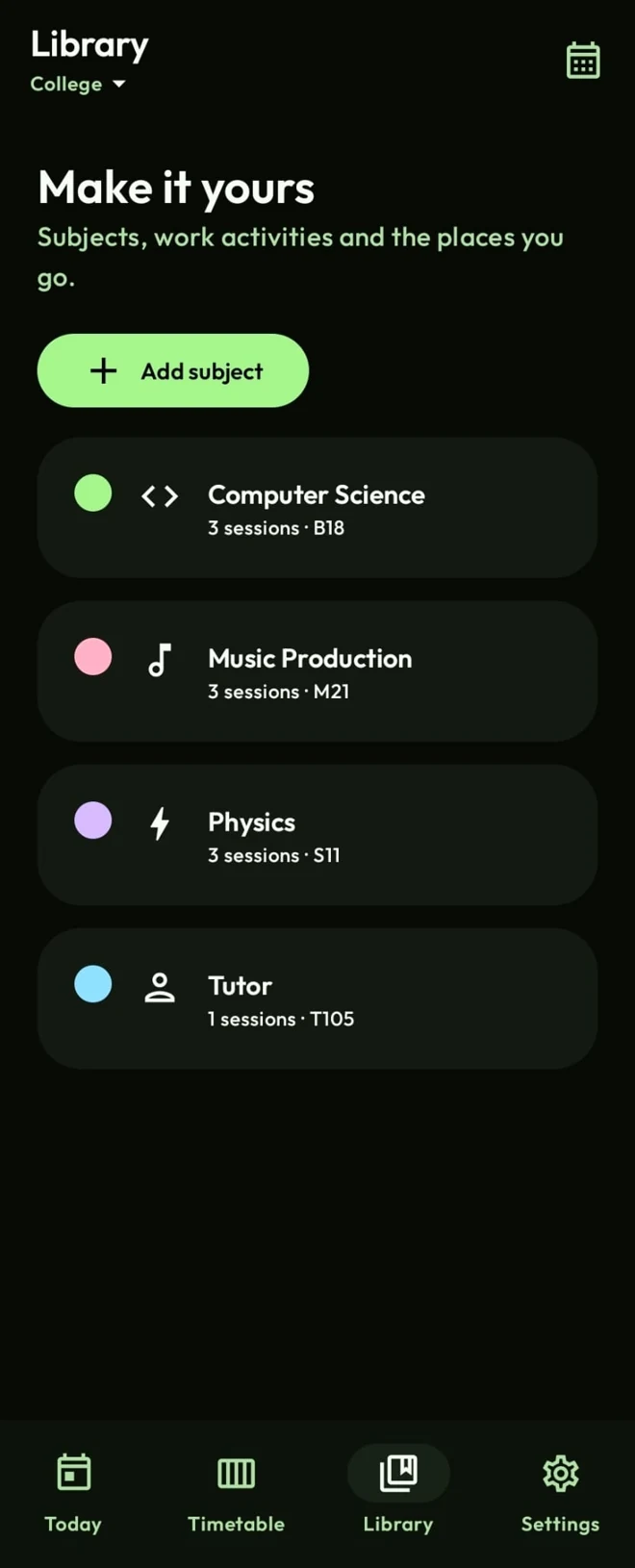
A week that works for you
Keep separate timetables for college, work and personal activities. Switch, duplicate or rename them whenever life changes.
Set your own days, usual periods, breaks and lunch. Follow a proportional timeline and fill a free period when something comes up.
Compare selected schedules on aligned time intervals, or combine them into an agenda. See where everyone has time free.
Import during setup or export a complete backup. Subjects, colours, times, breaks, notes, icons and appearance travel together.
.tempo.jsonTempo, up close
Take a look around.
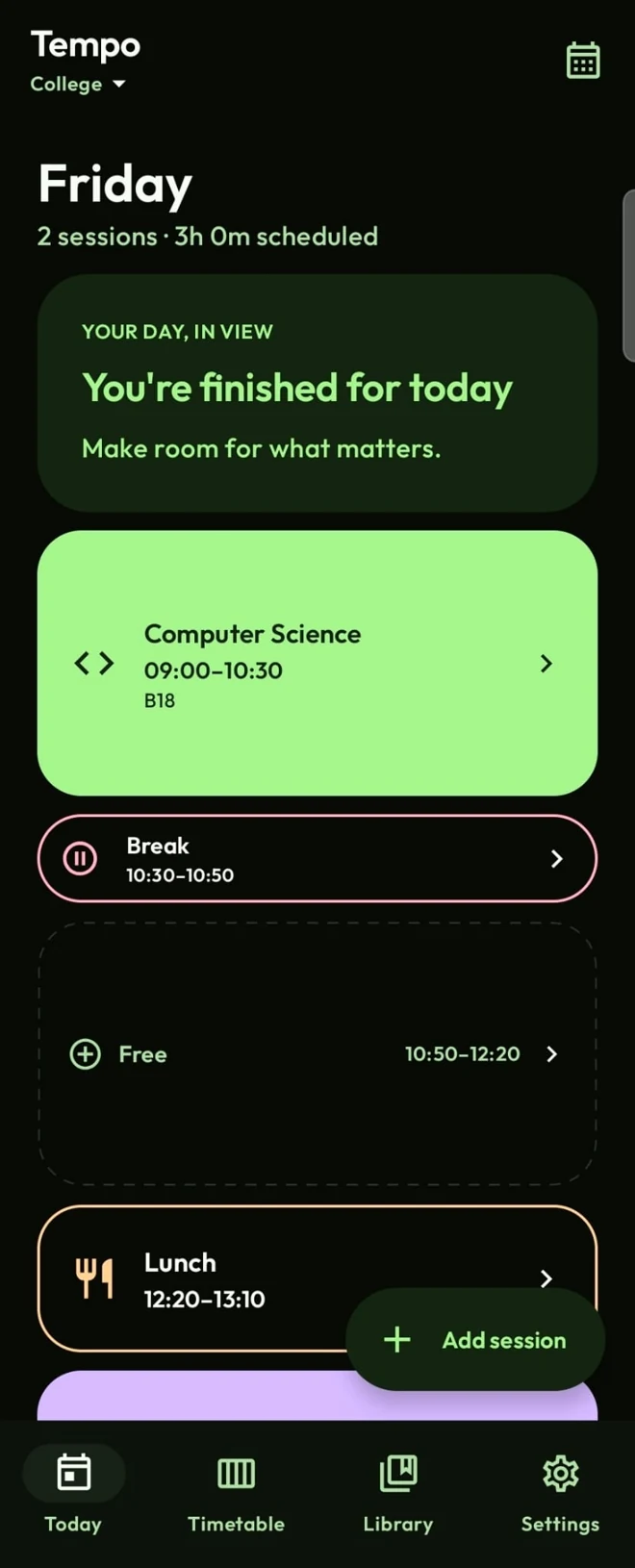
See your sessions, breaks and open periods in one proportional timeline. When plans change, put that free time to use.
Make it yours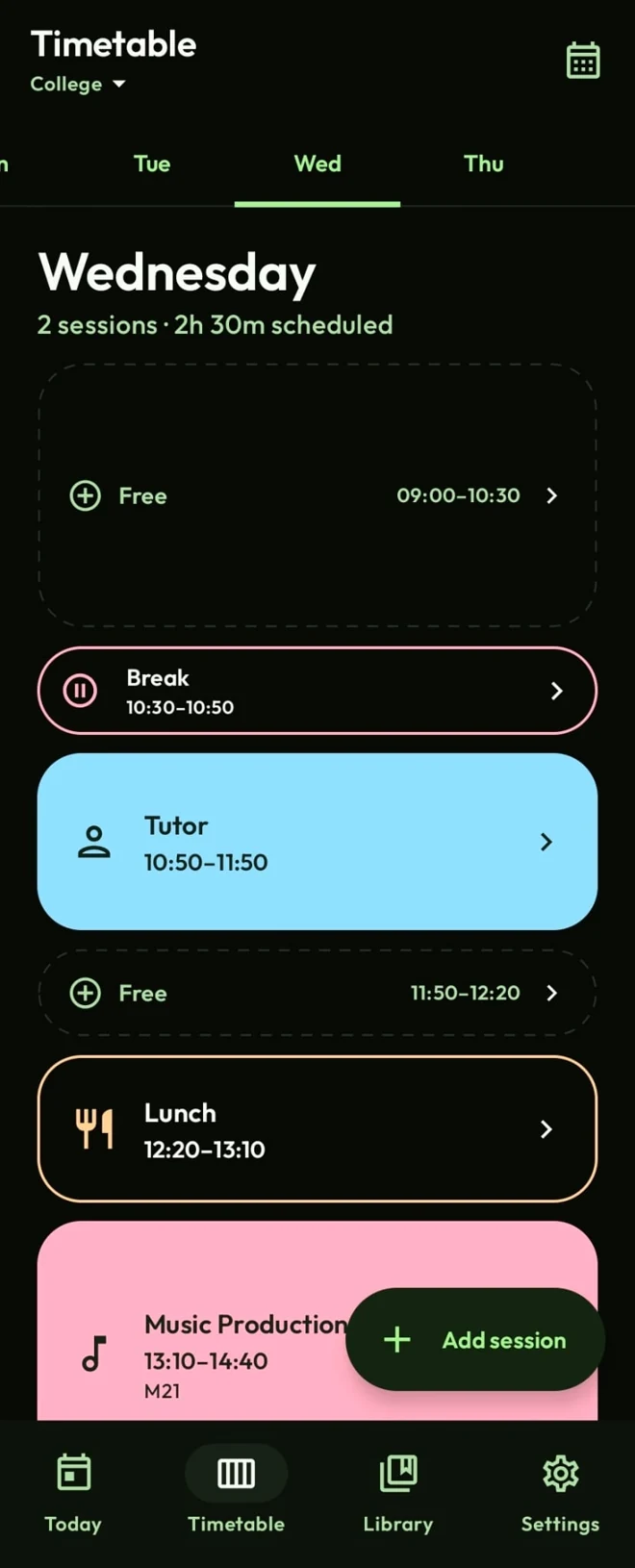
Pick a day and see how it fits together. Your own hours, colourful subjects and proper space for lunch.
Make it yoursKeep activities organised with individual colours, locations and optional icons. From Computer Science to whatever comes next.
Make it yours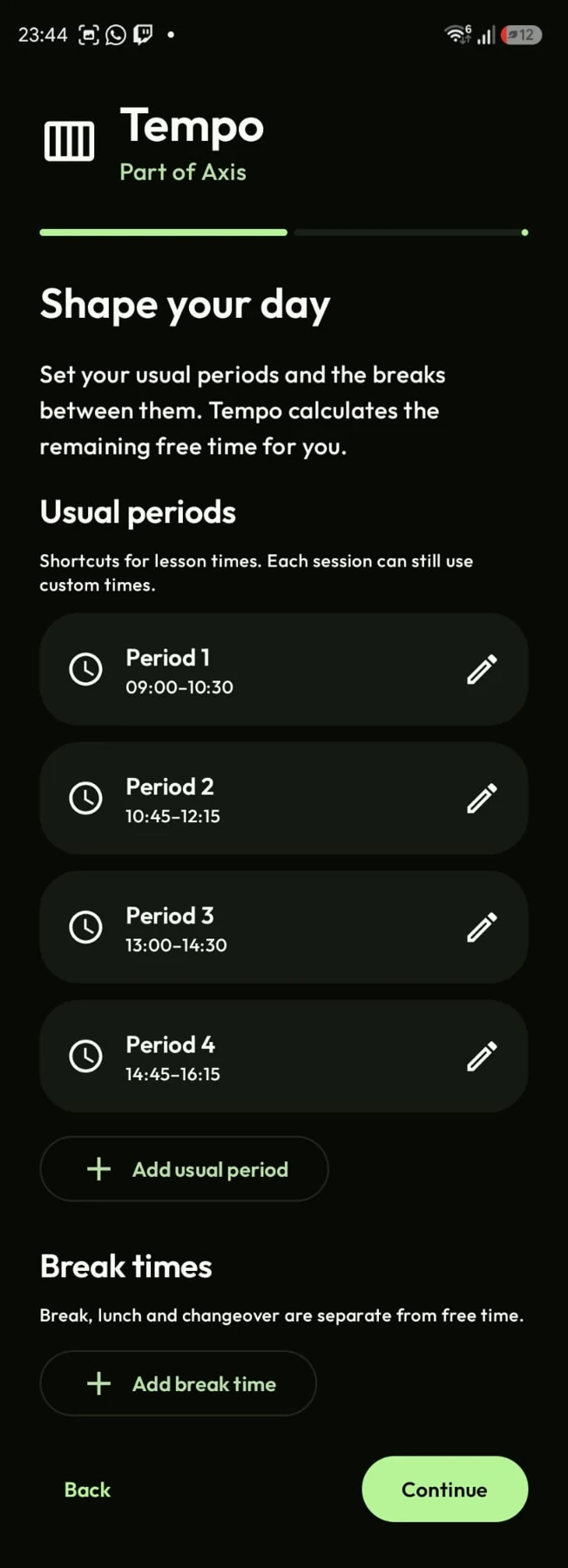
Choose your usual periods and break times. Tempo works out the rest, while individual sessions can still use custom times.
Make it yoursMake it yours
Subject colours and icons. Filled or outlined blocks. Your own day lengths, periods and breaks. There’s a setting for that.
Choose Forest, Ocean, Amber or a wallpaper-based Material You palette, with light, dark and system modes.
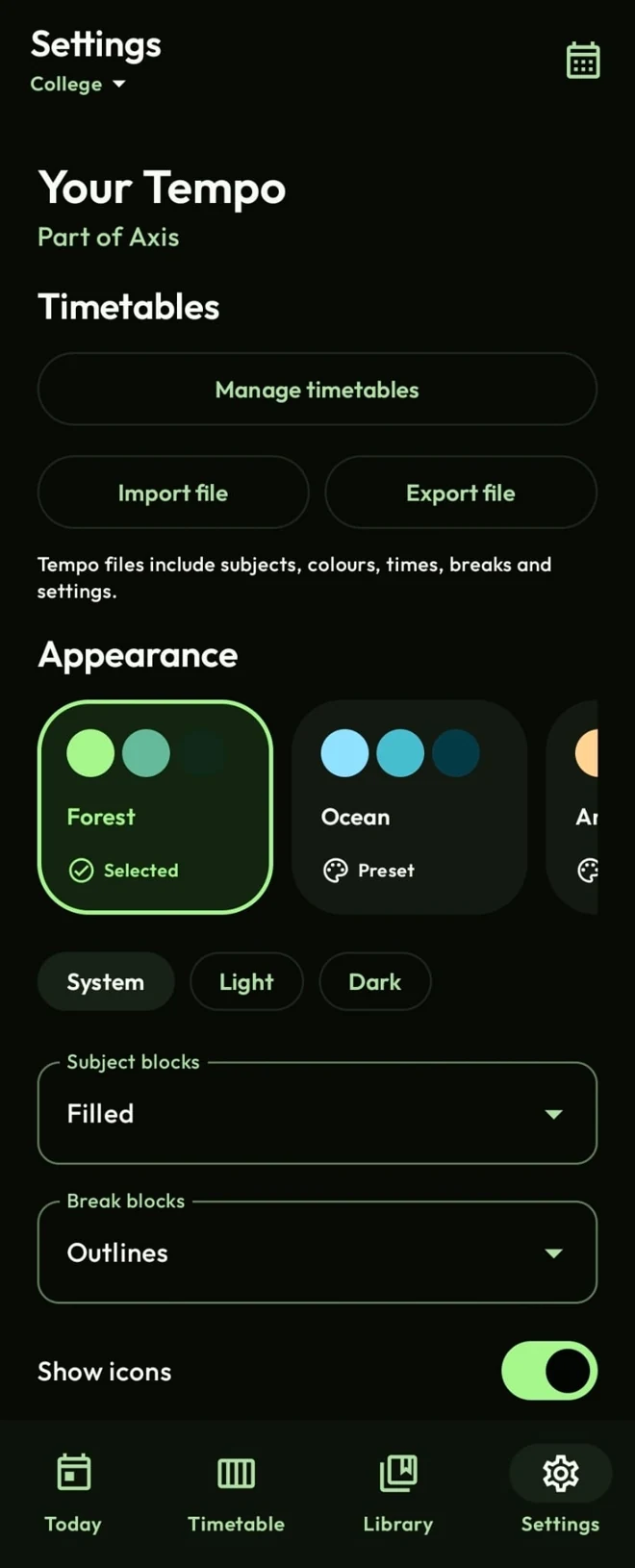

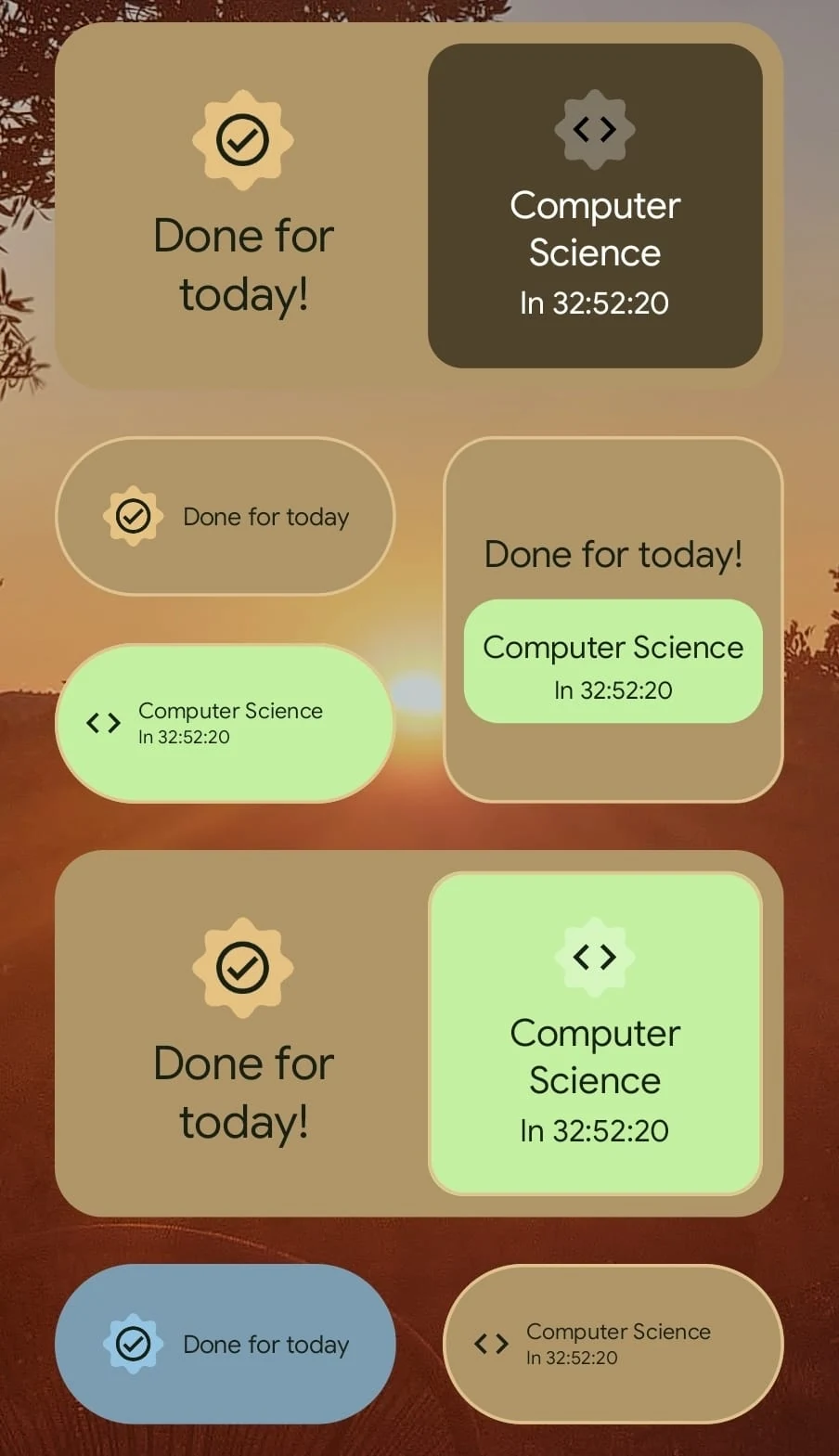
Subject colours, rounded blocks and clear day timelines make your schedule easy to read.
On-device timetables. No accounts or analytics. Your schedule only leaves when you export it.
A few things to know
An Android phone running Android 8.0 (Oreo) or newer. Download the APK from GitHub Releases.
No. You choose your days, subjects or activities, session times and breaks. Keep separate timetables for college, work and everyday life.
Yes. Export a .tempo.json file and import it on the other device. Tempo previews and validates the file before importing your subjects, times, breaks, notes and appearance.
Check for stable releases in Settings, or enable automatic checks and downloads on unmetered connections. Update checks contact GitHub without sending your timetable. Android asks before installing an update.
Multiple-week cycles, calendar .ics integration, PNG exports, share links and optional homework and assignment tracking are planned. They aren’t available yet. Follow the roadmap for progress.
A week that looks like yours
Android 8.0+ · Made by XDan