Browse Google Fonts
Search Google Fonts families, filter by category and save favourites. Preview fonts on hover or keyboard focus.
 Fontify
Font extension for Chrome & Firefox
Change the fonts on the websites you use.
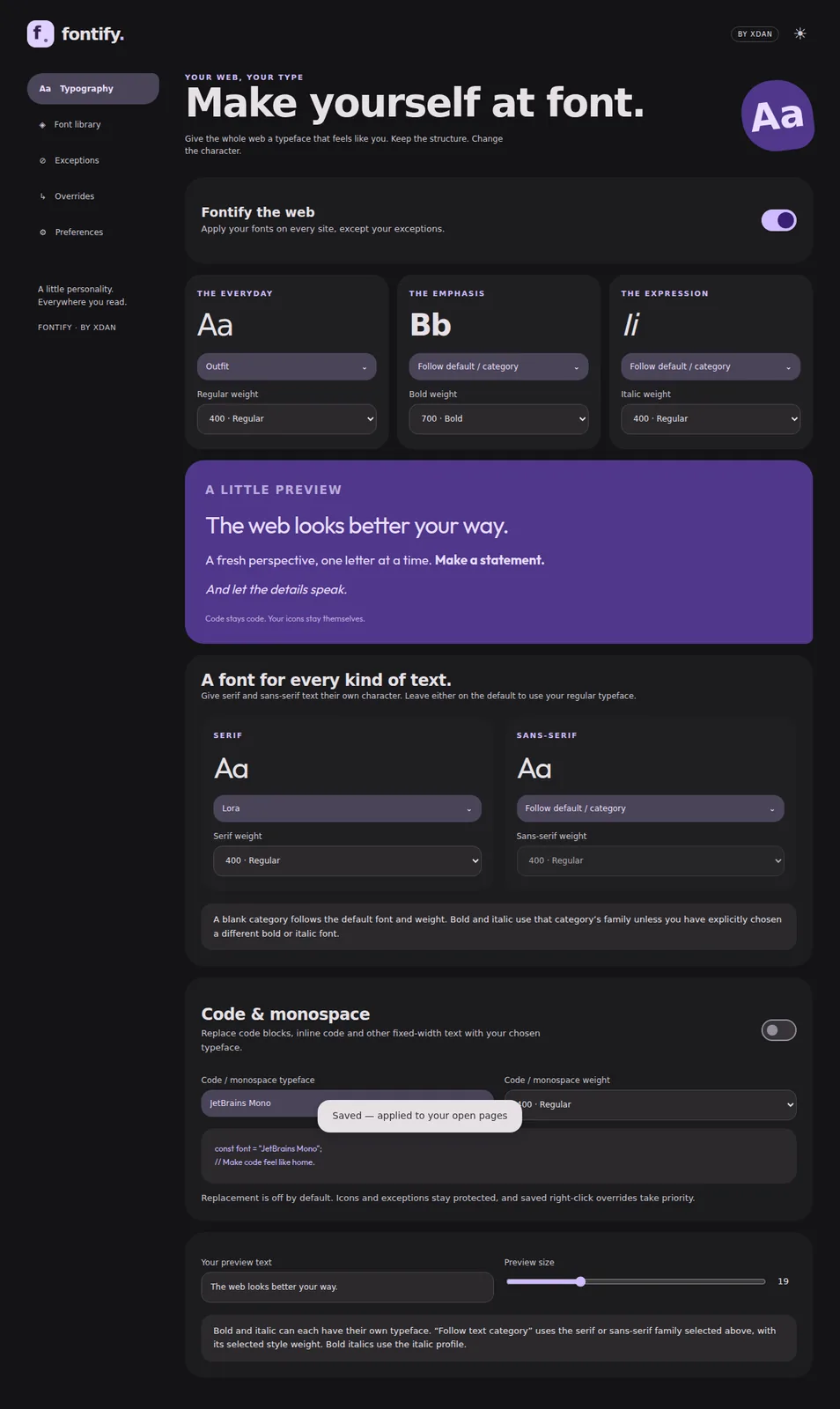
Choose Google Fonts or upload your own files. Set separate typefaces and weights for regular, bold, italic and code text.
Try a typeface on this sample.
The quick brown fox jumps over the lazy dog.
Regular text, bold text and italic text.
0123456789 · !?&@
This preview changes the sample only. Install Fontify to change other websites.
Search Google Fonts families, filter by category and save favourites. Preview fonts on hover or keyboard focus.
Upload TTF or OTF files, including variable fonts. Choose separate regular, bold and italic profiles, with the weights you want.
Code and icon fonts stay protected by default. Set your own monospace profile when you want one, or make an exception for a site, font family or CSS selector.
Highlight text and right-click Fontify to override a font or text block. Pause globally or on one site, and restore the original typography without reloading.
Get a development build from the repository’s build workflow. Choose the package for your browser.
Extract the Chrome ZIP. Open chrome://extensions, enable Developer mode, then use Load unpacked.
Extract the Firefox ZIP. Open about:debugging and use Load Temporary Add-on to select its manifest.