Presets and custom intervals
Classic, Deep work or Gentle start. Choose a preset or set your own focus and break durations.
A Pomodoro timer for your Mac
Set your focus and break intervals. Keep the countdown in your menu bar.
A native Mac app with session presets, daily goals and exportable focus history.
macOS 15+ · Apple silicon & Intel
Free & open source
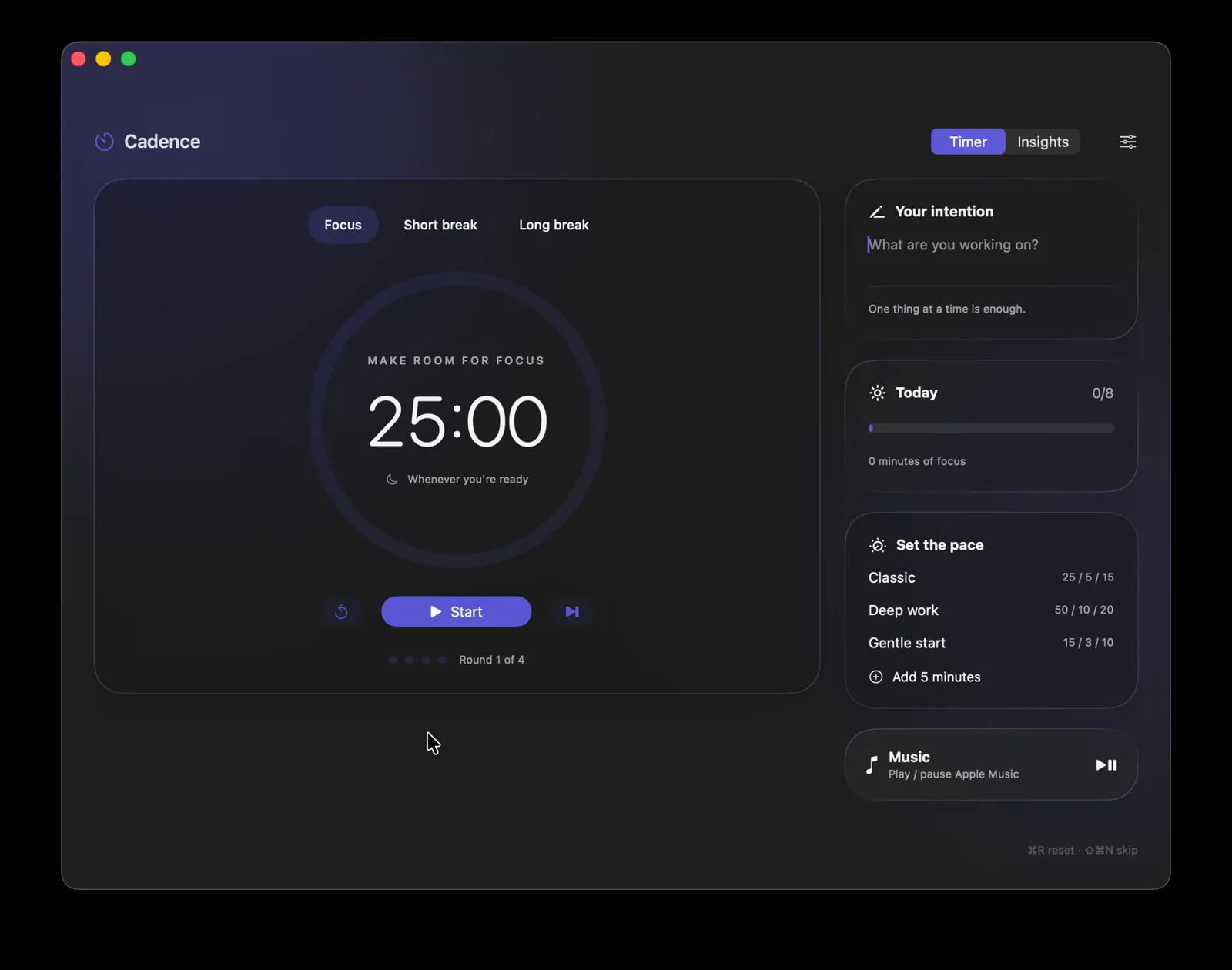
Classic, Deep work or Gentle start. Choose a preset or set your own focus and break durations.
Check your countdown from the menu bar. Pause, resume, skip or add five minutes. Closing the window keeps the timer running.
Give each session an intention, set a daily goal and look back at your week. Export your focus history whenever you like.
Follow your Mac’s accent or pick one of nine colours. Choose light, dark or system appearance, and control Apple Music without leaving the app.
Download the DMG, open it, and drag Cadence into Applications. A ZIP is available too.
For macOS Sequoia 15 and later · Apple silicon & Intel
First-run setup helps you choose your intervals, appearance and reminders. Pick a preset, add an intention, and press Start.
Notification access is optional. Apple Music controls ask for permission the first time you use them.
Read the user guideCadence is not yet notarised. See the download instructions in the README for opening it on your Mac.